Title here
Summary here
The Type-ahead control looks up values based on the characters that are typed in.

The typeahead has 3 main parts:
Not all parts of the control are always visible. The “Clear” button is only visible when the field is allow to have no value. The ellipsis button is only visible when it is possible to edit the properties of the selected value.
To use the control, type text that will match a part of the value you are looking for. The control waits for a short period of time to allow you to type several characters before it queries the server for a match.
When the query returns, the results will be displayed in a list below the control, with the matching part of the record displayed in bold text. In the example below, the Tractor Expenses account code is being search for both by name and by code.
| Search by name | Search by code |
|---|---|
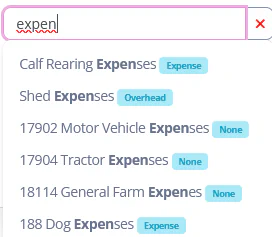 | 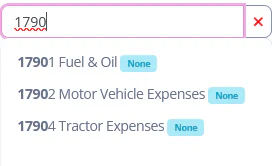 |
You may select an item from the list using the mouse, or by using the up and down arrows to hilight an item and then pressing the enter key to select it.
Some type-aheads are configured to allow you to add new items to the system. If the first item on the drop-down list displays a symbol, selecting this item means that you want to create a new item.
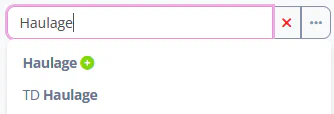
In this example, the Other Party with the name “Haulage” has not been matched and the system is displaying the option to create a new Other Party record with the value. Once selected, the ellipsis button can be used to additional properties to the Other Party record. When a new item is selected, the edit box will also display the symbol.
