Title here
Summary here
To access the Internal Transactions page, use the
menu option.
The Internal Transactions page displays every Internal Transaction recorded in the system for your site. Internal Transactions are created as you record on-farm activities such as feeding out, harvesting crops, maintaining fences etc.
An internal transaction records a cost or revenue value against a specific on-farm activity that can be categorised using Account Codes and Financial Tags and reported on in the same way that Internal Transactions are. Whereas External Transactions record money flowing into and out of your business, Internal Transactions allocate those money flows to the physical items and activities on your farm, to help you understand exactly where the money is being earned or spent.
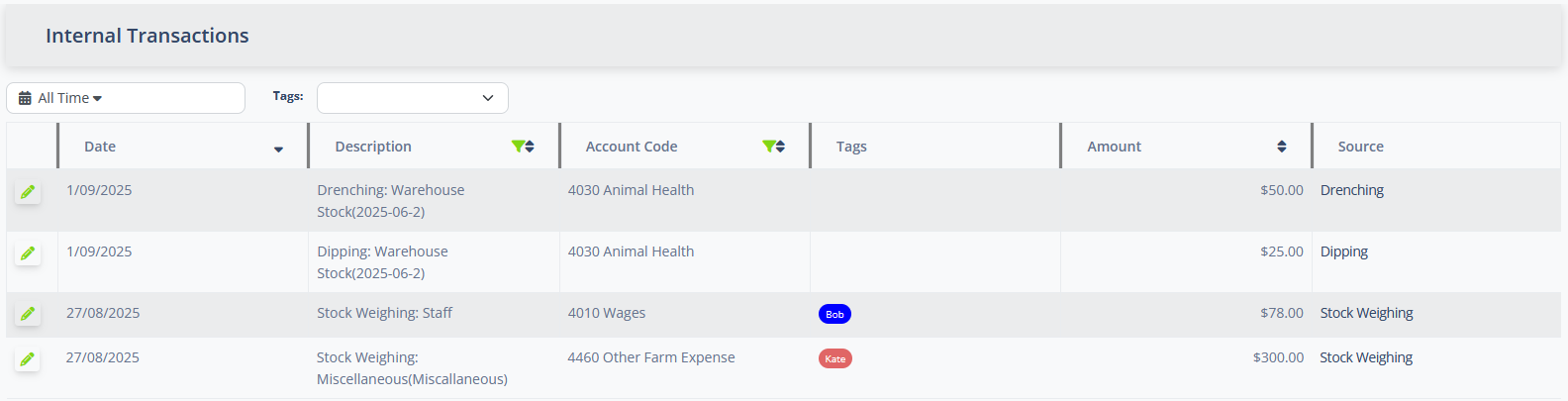
By default the Internal Transaction list will display all internal transactions for your site, ordered from newest to oldest. The list uses an infinite-scroll style loader, so that more transactions are loaded as your scroll down the list.
You can change the set of transactions that are displayed by using the following filters:
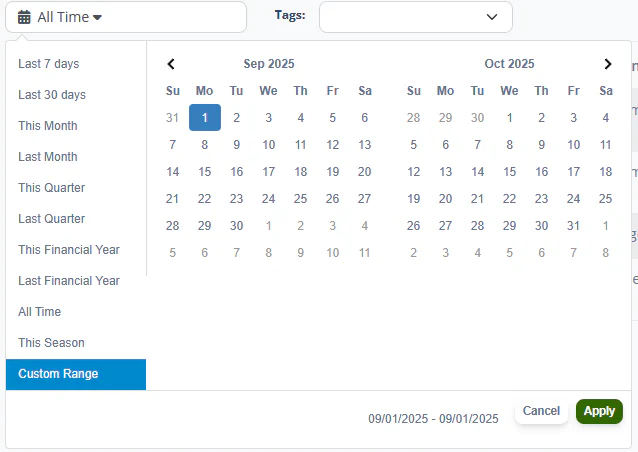
The date filter enables you to select a pre-defined date range to filter the available transactions by. Select one of the pre-defined filter ranges on the left of the control, or use the Custom Range option to specify a specific start and end date to filter transactions by.
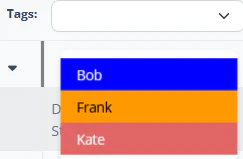
The tag filter enables you to restrict the displayed transaction to those that are marked with one of the specified tags. You can select multiple tags to filter by. The system will display only transactions that are marked with at least one of the specified filter tags.
The Internal Transaction list follows the standard List Page Actions paradigm. You can filter and sort by the Description and Account Code and sort by the Amount.
| Column | Meaning |
|---|---|
| Date | Date the transaction was created. |
| Description | Description of the transaction. |
| Account Code | Account Code assigned to the transaction. |
| Tags | One of one Financial Tag markers assigned to the transaction. |
| Amount | Pre-tax value of the transaction. Positive values are income, negative values are expenditure. |
| Source | The on-farm activity that resulted in the transaction. You may click on the value in this cell to open the source activity. |

When editing an Internal Transaction, only the Description, Account Code and Tags field may be modified. To change the other fields, use the Source link to open the original activity and make changes there.
The Description field is automatically generated when the source activity is updated. If you make a change, it may be overwritten if the source activity is later changed.